

Communicate with families and students.
Teachers of English language learners often struggle to communicate with non-English speaking students and families. The language barrier is very concerning because families and students often feel frustrated. Luckily, there are several applications available that help bridge that communication gap. Next, I will show you how to use talkingPoints to communicate with non-English speakers.
Have you experienced welcoming a newcomer student that speaks NO English? Or trying to communicate with a parent that speaks limited English? Well, I have. I have met families that speak NO English or Spanish and have felt very impotent when I couldn’t communicate.
Not being able to communicate with students and families can be very frustrating. Over the years, I have learned to use various programs and online translation tools to overcome such barriers. TalkingPoints is an excellent application that I recently learned about. This application is similar to another communication application called Classdojo. The main difference between the two is that talkingpoints appeal more to older students.
TalkingPoints provides a seamless translation. This application talkingpts.org and its website version allow you to communicate with families in their home language. What’s most important is that it is free of charge!
Who should use talkingpoints?
Everyone that teaches or services non-English-speaking families or students can benefit from using this tool. For instance, once you set up an account, you can use the same account each school year to add new parents and/or students. In summary, the tool allows for immediate communication with parents and students.
Below is a list of educators that should consider using this communication tool:
- ESOL Teachers
- Classroom Teachers
- Special Education Teachers –
- Educational Diagnosticians
- Therapists (Speech, Physical, Occupational)
- Psychologists
- School Counselors
- Administrators
- Social Workers
- After-School Program Staff
- Coaches
Setting Up a Free Account
To set up an account, you want to go to talkingpts.org. The account setup is very easy and doable by even a technology-challenged educator. Follow the below steps to start using talkingpoints.
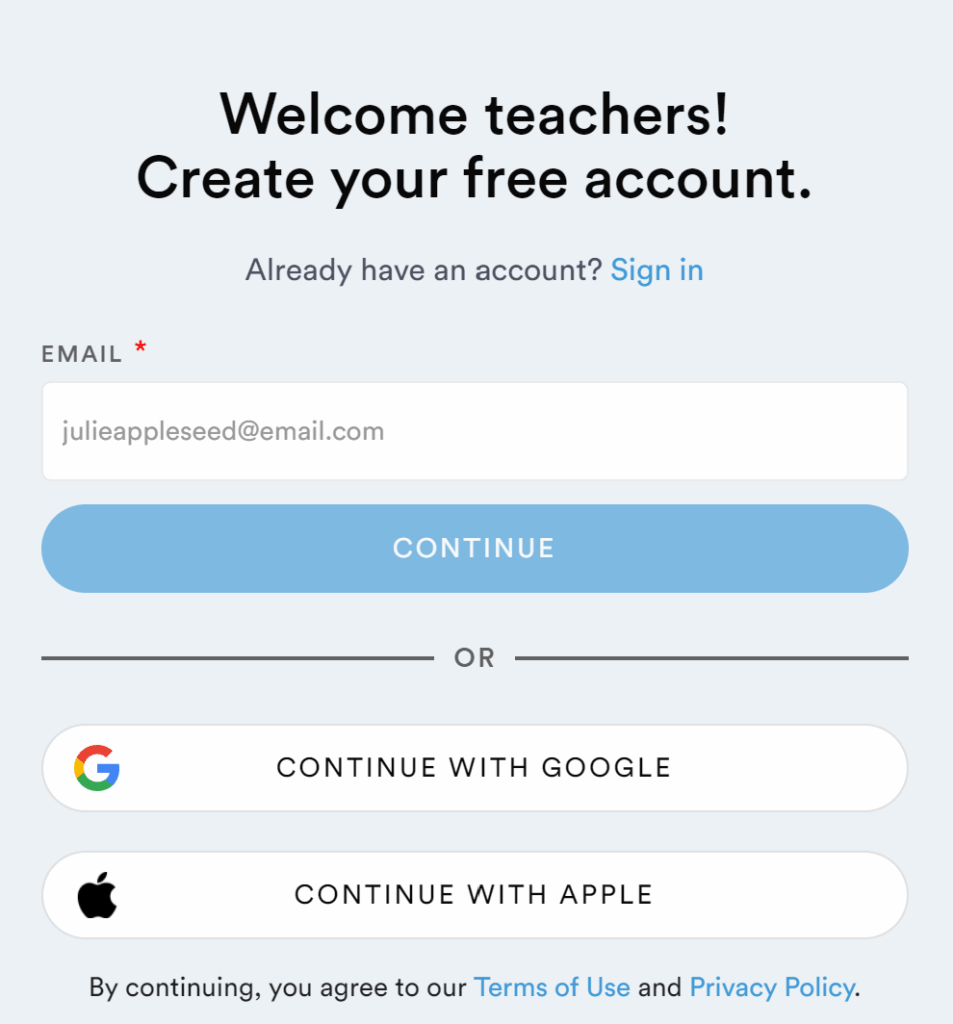
Step 1. Click on Sign up for Free. Enter your email address or select to sign up with Gmail or Apple login.
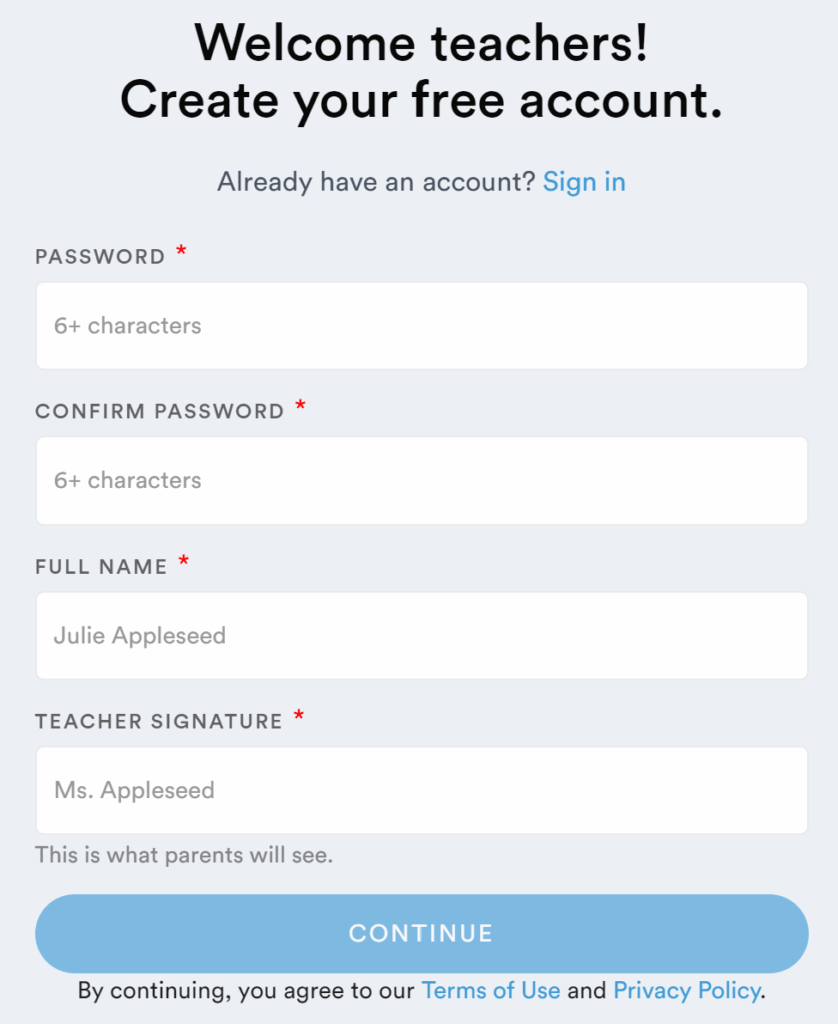
Step 2. Next, fill in your basic information.
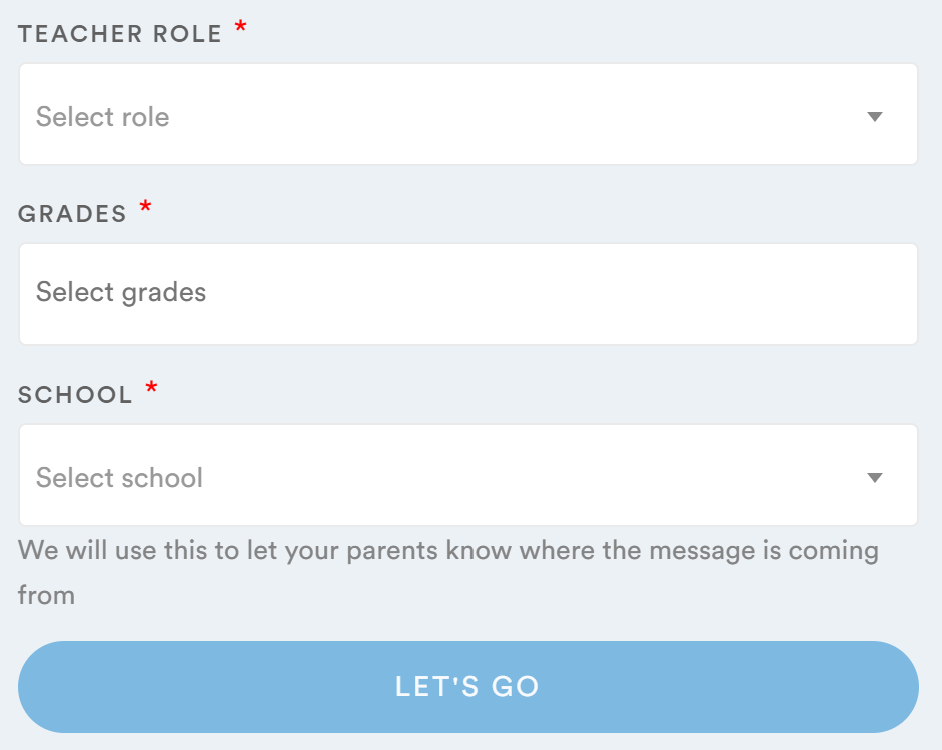
Step 3. Then, fill out your Teacher Role, grade, and School, and select Lets’ Go!
Once you click on Let’s Go you’ll be taken to the welcome page of your new account. Here, you want to initiate your account by adding students and family contacts.
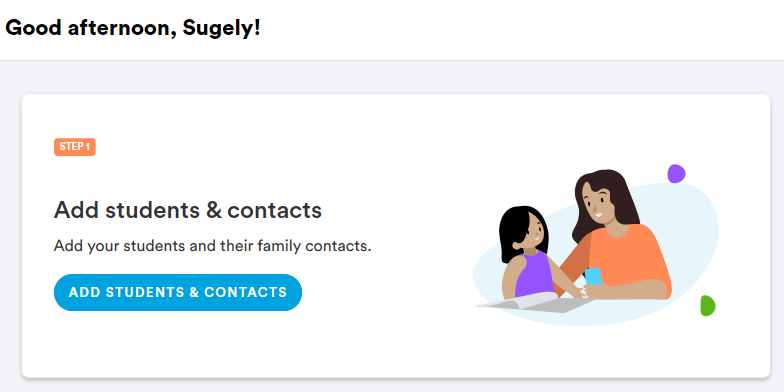
Click on option 1 – to Add Students & Contacts to manually add students/parents or select option 2 below – to Invite family members via app code or text message. See below.
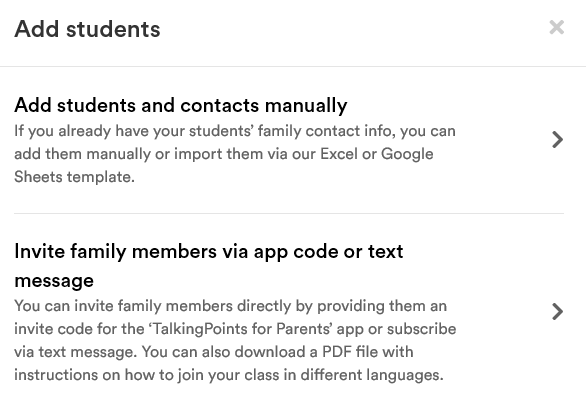
Option 1 will ask you to fill in the student/parent information and enter a phone number.
Option 2 invites families using a code or via text message. A flyer can be downloaded and shared with families in their native language, showing them how to set up the account.
Using TalkingPoints with Parents
TalkingPoints was mainly created to bridge a communication gap with non-English speaking parents. As a teacher, you can communicate in a text message format. Once a parent sets up an account they are asked to select their native language preference.
To communicate with parents text using their native language. Once their text message gets to you, it is instantly translated into English. If you want to see the original message sent you can click on show original to view the original message sent by the parent. On your side, you will be typing or texting the parent in English. Once you send the message the parent receives a translated version of your text in their native language. In addition to text messages, you can also send and share pictures and files. Use talkingpoints to communicate about field trip forms or any other related activities happening in the classroom.
Using TalkingPoints with Students
Students can also use talkingpoints to communicate with teachers. Students must use the parent feature to create an account and join your class. However, the communication and translation feature works the same way as the parent feature described above.
Use talkingpoints with students to check in regularly and inform the student what is going on in class each day. Communicate assignments and activities information as necessary. Additionally, you can upload assignment information or documents for the student and provide information using text.
As you can see, this free application is an excellent tool to support student learning and communicate with families. Nevertheless, remember that students will transition from needing to use the translation device. However, most parents will need to continue to use the account to communicate with teachers about their child’s education.